

Help centre · 150 guides
How can we help?
Connecting & ports · DayZ
DayZ: connect to and set up your server
Start your DayZ server, connect via the launcher and set the name, password, player count and mods.
Connecting & ports · Counter-Strike 2
Counter-Strike 2: connect to and set up your server
Start your CS2 server with a Steam token, connect via the console and set map, game mode, password and RCON.
Connecting & ports · Arma 3
Arma 3: connect to and set up your server
Start your Arma 3 server, connect via the server browser and set the password, player count and mods.
Connecting & ports · Arma Reforger
Arma Reforger: connect to and set up your server
Start your Arma Reforger server, find it in the game and set name, password, scenario, player count and admin access.
Connecting & ports · Counter-Strike 1.6
Counter-Strike 1.6: connect to and set up your server
Start your CS 1.6 server, connect via the console and set the start map, server name, passwords and version.
Connecting & ports · Left 4 Dead 2
Left 4 Dead 2: connect to and set up your server
Start your L4D2 server, connect via the console and set the start map, server name and passwords.
Connecting & ports · Pavlov VR
Pavlov VR: connect to and set up your server
Start your Pavlov VR server with an API key, find it in the server list and set name, password, maps and RCON.
Connecting & ports · SCUM
SCUM: connect to and set up your server
Start your SCUM server, find it in the game and set player count, server name and admins – plus why the first start takes longer.
Connecting & ports · Space Engineers
Space Engineers: connect to and set up your server
Start your Space Engineers server, join it in the game and set name, game mode, player count, saving and mods.
Connecting & ports
How do I connect to my server?
Copy the address, paste it into the game, done.
Files, mods & plugins
Uploading files and mods via SFTP (FileZilla)
SFTP is the most convenient way to handle large files and lots of mods.
When something isn’t working
I can't connect
Checklist for when the server can't be reached in-game.
Web space, domains & email
Web hosting: upload your website
Upload via SFTP into the right folder – and your site is online.
Web space, domains & email
Connect your own domain to web hosting or email
Set the nameservers or an A record.
Web space, domains & email
Enable an SSL certificate (https) for your website
Free via Let's Encrypt, with one click.
VPS
VPS: connect via SSH
Log in to your server as root with the stored password.
VPS
Reinstall your VPS
A fresh operating system in about a minute – all data is deleted.
Connecting & ports · Sons Of The Forest
Sons Of The Forest: connect to and set up your server
Start your Sons Of The Forest server, connect in-game and set the name, password, player count and game mode.
Connecting & ports · Sinusbot
Sinusbot: set up your bot
Start Sinusbot, log in to the web interface and connect it to Discord or TeamSpeak.
Connecting & ports · Rust
Rust: connect to and set up your server
Start your Rust server, connect via the F1 console and set the name, map, player count and Oxide.
Connecting & ports · Palworld
Palworld: connect to and set up your server
Start your Palworld server, connect via “Dedicated Server” and set the name, password and player count.
Connecting & ports · Hytale
Hytale: connect to and set up your server
Start your Hytale server, connect in-game and configure updates, version and world backups.
Connecting & ports · Minecraft
Minecraft: connect to and set up your server
Start your Minecraft server (Paper), connect via Multiplayer and adjust the version and server.properties.
Connecting & ports · FiveM
FiveM: connect to and set up your server
Start your FiveM server, connect via the F8 console and set the name, license key and txAdmin.
Connecting & ports · Satisfactory
Satisfactory: connect to and set up your server
Start your Satisfactory server, add it in the Server Manager and set autosave, updates and player count.
Connecting & ports · Valheim
Valheim: connect to and set up your server
Start your Valheim server, connect via “Join IP” and set the name, password, world and crossplay.
Connecting & ports · Unturned
Unturned: connect to and set up your server
Start your Unturned server, connect in-game and set the name, password, map, owner and Steam token.
Connecting & ports · Terraria
Terraria: connect to and set up your server
Start your Terraria server, join via IP and set the world, password, player count and difficulty.
Connecting & ports · Enshrouded
Enshrouded: connect to and set up your server
Start your Enshrouded server, find it in the server list and set the name, password and player count.
Connecting & ports · 7 Days to Die
7 Days to Die: connect to and set up your server
Start your 7 Days to Die server, connect in-game and adjust difficulty, updates and serverconfig.xml.
Connecting & ports · Garry's Mod
Garry's Mod: connect to and set up your server
Start your Garry's Mod server, connect via the console and set the map, slots and Steam token.
Connecting & ports · Project Zomboid
Project Zomboid: connect to and set up your server
Start your Project Zomboid server, connect in-game and set the server name, admin account and updates.
Connecting & ports · V Rising
V Rising: connect to and set up your server
Start your V Rising server, find it in the server list and set the name, password, player count and game rules.
Connecting & ports · Conan Exiles
Conan Exiles: connect to and set up your server
Start your Conan Exiles server, connect in-game and set the name, password and automatic updates.
Connecting & ports · Soulmask
Soulmask: Connecting to and setting up your server
Start your Soulmask server, connect in the game and set the name, password, player count and admin access.
Connecting & ports · Icarus
Icarus: Connecting to and setting up your server
Start your Icarus server, connect in the game and configure the server name and automatic updates.
Connecting & ports · Squad
Squad: Connecting to and setting up your server
Start your Squad server, find it in the server browser and set the name, player count, reserved slots and team balance.
Connecting & ports · Insurgency: Sandstorm
Insurgency: Sandstorm: Connecting to and setting up your server
How to connect to your Insurgency: Sandstorm server and adjust the name, map, scenario and player count.
Connecting & ports · Abiotic Factor
Abiotic Factor: Connecting to and setting up your server
How to connect to your Abiotic Factor server and find the automatically generated server password.
Connecting & ports · Core Keeper
Core Keeper: Connecting to and setting up your server
How to join your Core Keeper server via the Game ID and adjust the world, player count and mode.
Connecting & ports · Barotrauma
Barotrauma: Connecting to and setting up your server
How to connect to your Barotrauma server and keep it up to date.
Connecting & ports · Astroneer
Astroneer: Connecting to and setting up your server
How to connect to your Astroneer server and set the owner, password and public IP.
Connecting & ports · Mordhau
Mordhau: Connecting to and setting up your server
How to connect to your Mordhau server and find the automatically generated admin password.
Connecting & ports · Avorion
Avorion: Connecting to and setting up your server
How to connect to your Avorion server and set the galaxy, admin, difficulty and visibility.
Connecting & ports · Nightingale
Nightingale: Connecting to and setting up your server
How to connect to your Nightingale server and find the automatically generated admin password.
Connecting & ports · Vintage Story
Vintage Story: Connecting to and setting up your server
How to connect to your Vintage Story server and adjust the player count, version and startup options.
Connecting & ports · Necesse
Necesse: Connecting to and setting up your server
How to connect to your Necesse server and set the save, slots and password.
Connecting & ports · Don't Starve Together
Don't Starve Together: Connecting to and setting up your server
How to connect to your Don't Starve Together server and adjust the name, game mode and player count.
Connecting & ports · ECO
ECO: Connecting to and setting up your server
How to connect to your ECO server and set the password, description and visibility.
Connecting & ports · Factorio
Factorio: Connecting to and setting up your server
How to connect to your Factorio server and adjust the name, save and token.
Connecting & ports · ARK: Survival Evolved
ARK: Survival Evolved: Connecting to and setting up your server
How to connect to your ARK server, find the admin password and change the map, mods and player count.
Connecting & ports · Killing Floor 2
Killing Floor 2: Connecting to and setting up your server
How to connect to your Killing Floor 2 server and find the automatically generated admin password.
Connecting & ports · The Isle
The Isle: Connecting to and setting up your server
How to connect to your The Isle server and set the name, player count, password and RCON.
Connecting & ports · Path of Titans
Path of Titans: Connecting to and setting up your server
How to connect to your Path of Titans server and enter the required Alderon auth token.
Connecting & ports · Empyrion – Galactic Survival
Empyrion – Galactic Survival: Connecting to and setting up your server
How to connect to your Empyrion server and set the name, password, player count and seed.
Connecting & ports · Myth of Empires
Myth of Empires: Connecting to and setting up your server
How to connect to your Myth of Empires server and find the automatically generated RCON password.
Connecting & ports · Assetto Corsa
Assetto Corsa: Connecting to and setting up your server
How to connect to your Assetto Corsa freeroam server and find the admin password.
Connecting & ports · Wreckfest
Wreckfest: Connecting to and setting up your server
How to connect to your Wreckfest server and set the name and password.
Connecting & ports · Return to Moria
Return to Moria: Connecting to and setting up your server
How to connect to your Return to Moria server and set the name, password and difficulty.
Connecting & ports · Craftopia
Craftopia: Connecting to and setting up your server
How to connect to your Craftopia server and find the configuration file.
Connecting & ports · BeamMP
BeamMP: Connecting to and setting up your server
How to connect to your BeamMP server for BeamNG.drive and set the map, players and auth key.
Connecting & ports · Stationeers
Stationeers: Connecting to and setting up your server
How to connect to your Stationeers server and adjust the name, world and save.
Connecting & ports · Longvinter
Longvinter: Connecting to and setting up your server
How to connect to your Longvinter server and set the name, password, PvP and admins.
Connecting & ports · No One Survived
No One Survived: Connecting to and setting up your server
How to connect to your No One Survived server, set a password and find the admin password.
Connecting & ports · Wurm Unlimited
Wurm Unlimited: Connecting to and setting up your server
How to connect to your Wurm Unlimited server and set the name, passwords, world and PvP.
Connecting & ports · Colony Survival
Colony Survival: Connecting to and setting up your server
How to connect to your Colony Survival server and change the server name, world and player count.
Connecting & ports · Vein
Vein: Connecting to and setting up your server
How to connect to your VEIN server, find the server password and adjust its visibility.
Connecting & ports · Veloren
Veloren: Connecting to and setting up your server
How to connect to your Veloren server and adjust the server name and version.
Connecting & ports · Mindustry
Mindustry: Connecting to and setting up your server
How to connect to your Mindustry server and change the server name, map and version.
Connecting & ports · Minetest (Luanti)
Minetest (Luanti): Connecting to and setting up your server
How to connect to your Minetest/Luanti server and set the admin, password, world and game.
Connecting & ports · OpenTTD
OpenTTD: Connecting to and setting up your server
How to connect to your OpenTTD server and change the server name and visibility.
Connecting & ports · Xonotic
Xonotic: Connecting to and setting up your server
How to connect to your Xonotic server and change the player count and version.
Connecting & ports · Foundry VTT
Foundry VTT: Connecting to and setting up your server
How to set up Foundry VTT and how your players join via the browser.
Connecting & ports · Minecraft Bedrock
Minecraft Bedrock: Connecting to and setting up your server
How to connect to your Minecraft Bedrock server and change the game mode, difficulty and cheats.
Connecting & ports · RedM
RedM: Connecting to and setting up your server
How to connect to your RedM server and enter the CFX license key.
Connecting & ports · Terraria tModLoader
Terraria tModLoader: Connecting to and setting up your server
How to connect to your tModLoader server and set the world, password and mods.
Connecting & ports · Counter-Strike: Source
Counter-Strike: Source: Connecting to and setting up your server
How to connect to your Counter-Strike: Source server and enter the Steam token.
Connecting & ports · RuneScape: Dragonwilds
RuneScape: Dragonwilds: Connecting to and setting up your server
How to set up your Dragonwilds server (owner ID, passwords) and how other players find your world.
Connecting & ports · Ground Branch
Ground Branch: Connecting to and setting up your server
How to connect to your Ground Branch server and change the name, player count and updates.
Connecting & ports · Sven Co-op
Sven Co-op: Connecting to and setting up your server
How to connect to your Sven Co-op server and change the name, password, map and region.
Connecting & ports · DDNet
DDNet: Connecting to and setting up your server
How to connect to your DDNet server and change the name, password, map and visibility.
Connecting & ports · Quake Live
Quake Live: Connecting to and setting up your server
How to connect to your Quake Live server and change the name, password and server type.
Connecting & ports · Euro Truck Simulator 2
Euro Truck Simulator 2: Connecting to and setting up your server
How to connect to your Euro Truck Simulator 2 server and enter the Steam token.
Guides for your game
76 games with their own guides
 7 Days to Die1 guide
 Abiotic Factor1 guide
 ARK: Survival Evolved1 guide
 Arma 32 guides
 Arma Reforger1 guide
 Assetto Corsa1 guide
 Astroneer1 guide
 Avorion1 guide
 Barotrauma1 guide
 BeamMP1 guide
 Colony Survival1 guide
 Conan Exiles1 guide
 Core Keeper1 guide
 Counter-Strike 1.61 guide
 Counter-Strike 22 guides
 Counter-Strike: Source1 guide
 Craftopia1 guide
 DayZ3 guides
 DDNet1 guide
 Don't Starve Together2 guides
 ECO1 guide
 Empyrion – Galactic Survival1 guide
 Enshrouded1 guide
 Euro Truck Simulator 21 guide
 Factorio1 guide
 FiveM2 guides
 Foundry VTT1 guide
 Garry's Mod2 guides
 Ground Branch1 guide
 Hytale1 guide
 Icarus1 guide
 Insurgency: Sandstorm1 guide
 JMusicBot1 guide
 Killing Floor 21 guide
 Left 4 Dead 21 guide
 Longvinter1 guide
 Mindustry1 guide
 Minecraft2 guides
Minecraft Bedrock1 guide
Minecraft2 guides
Minecraft Bedrock1 guide
 Minetest (Luanti)1 guide
 Mordhau1 guide
 Myth of Empires1 guide
 Necesse1 guide
 Nightingale1 guide
 No One Survived1 guide
 OpenTTD1 guide
 Palworld1 guide
 Path of Titans1 guide
 Pavlov VR1 guide
 Project Zomboid1 guide
 Quake Live1 guide
 RedM1 guide
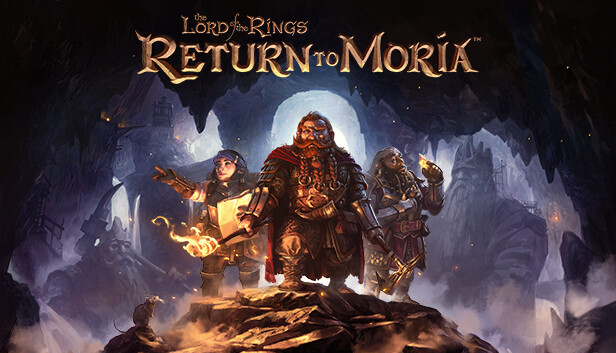 Return to Moria1 guide
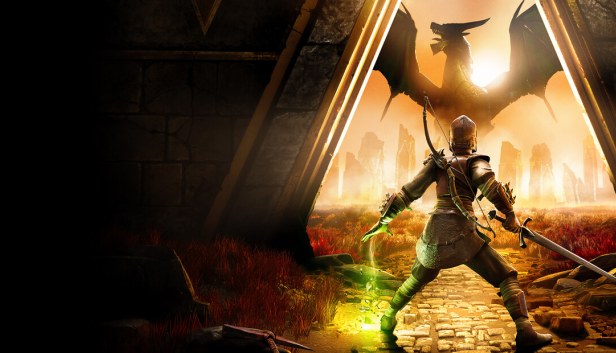 RuneScape: Dragonwilds1 guide
 Rust1 guide
 Satisfactory1 guide
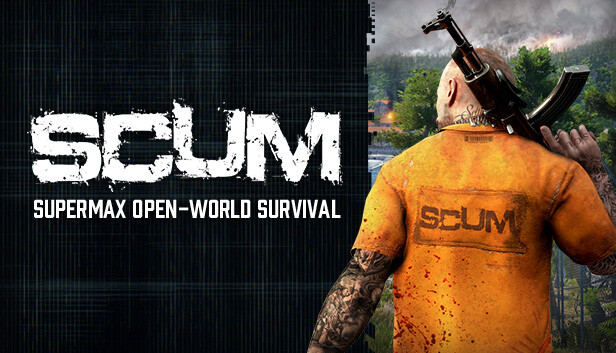 SCUM1 guide
 Sinusbot1 guide
 Sons Of The Forest1 guide
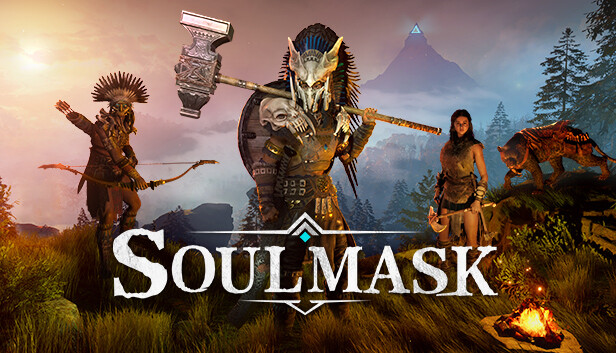 Soulmask1 guide
 Space Engineers1 guide
 Squad1 guide
 Stationeers1 guide
 Sven Co-op1 guide
 Terraria1 guide
Terraria tModLoader1 guide
Terraria1 guide
Terraria tModLoader1 guide
 The Isle1 guide
 Unturned1 guide
 V Rising1 guide
 Valheim1 guide
 Vein1 guide
 Veloren1 guide
 Vintage Story1 guide
 Wreckfest1 guide
 Wurm Unlimited1 guide
 Xonotic1 guide
Nothing that fits?
The operator answers personally, usually within a few hours.
Ask a question
Server status